macOS ⇄ Android

Your Android,
at home on your Mac.

Mirror and control your phone, answer its notifications, share one clipboard, move photos and files, and use its camera as your webcam. Wireless, from one Mac app.

Download for macOS
  • Apple silicon · macOS 26
  • Android 11 and newer
  • No account, no cloud

What it does

Everything your Mac was missing from your phone.

iPhone owners get this out of the box. JH Mirror brings the same everyday conveniences to Android, and every screenshot below is the real app.

01 Screen mirroring

Your phone, in a window.
Mouse, keyboard and all.

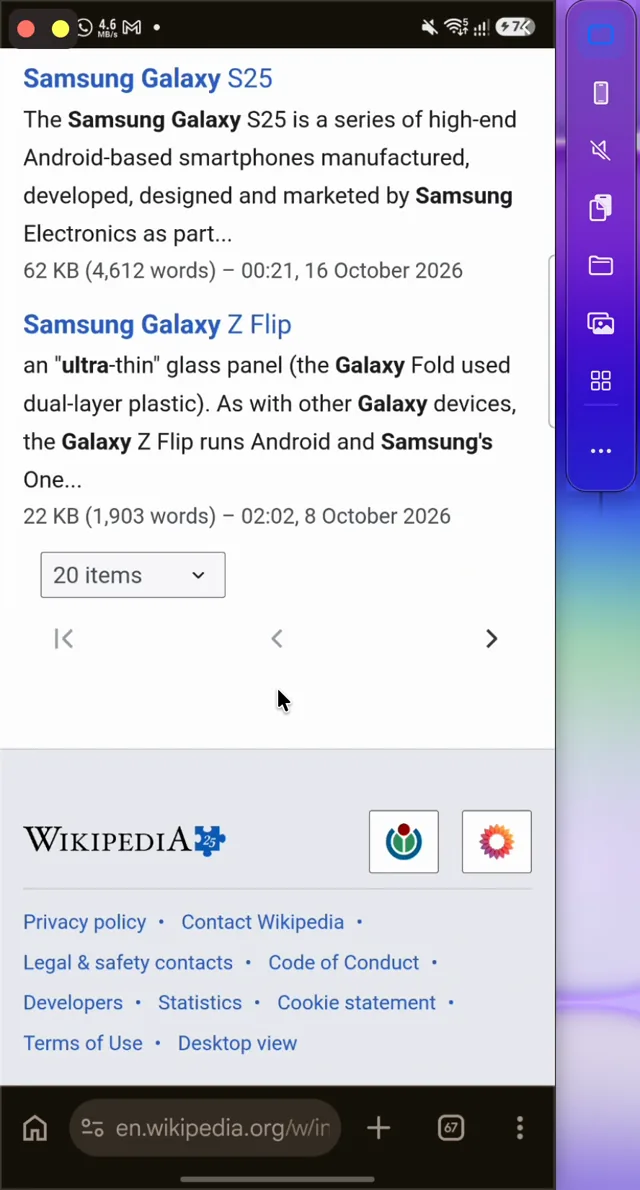
Answer a chat, check a delivery or finish a level without picking up your phone. Click, scroll and type with your Mac's keyboard while the screen streams over Wi‑Fi in real time.

  • Phone audio plays on your Mac
  • Drop Mac files on the window to send them to the phone
  • Side strip for clipboard, files, media and the App Library
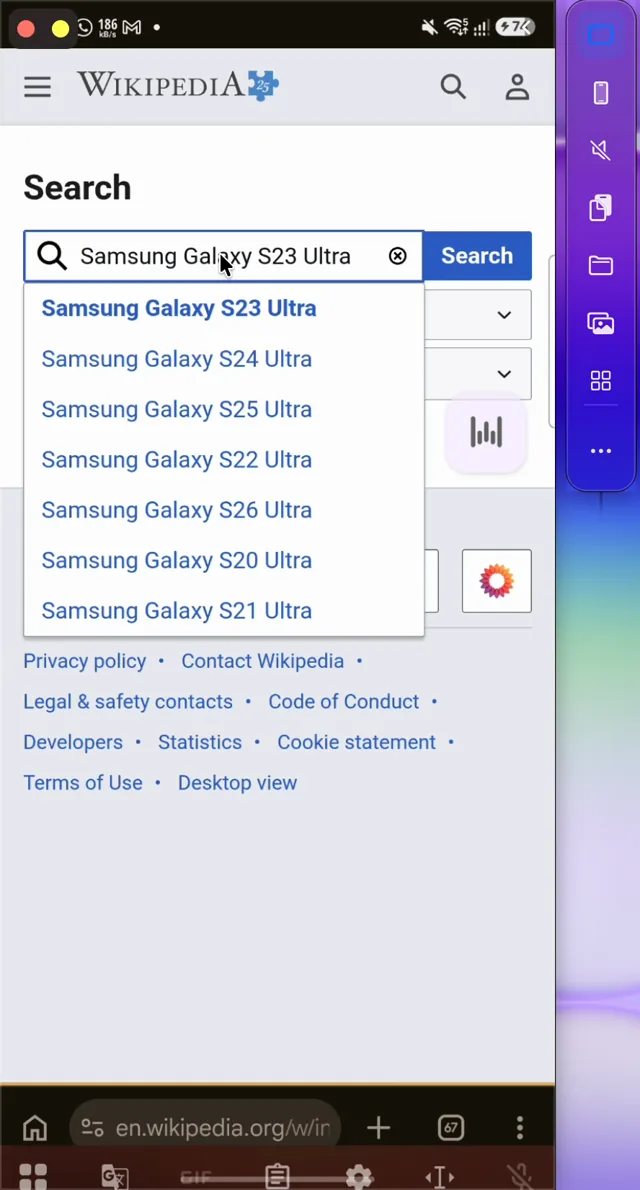
The JH Mirror phone window on a Mac showing Chrome with a search typed from the Mac keyboard

02 Menu bar

One click away.
From any app.

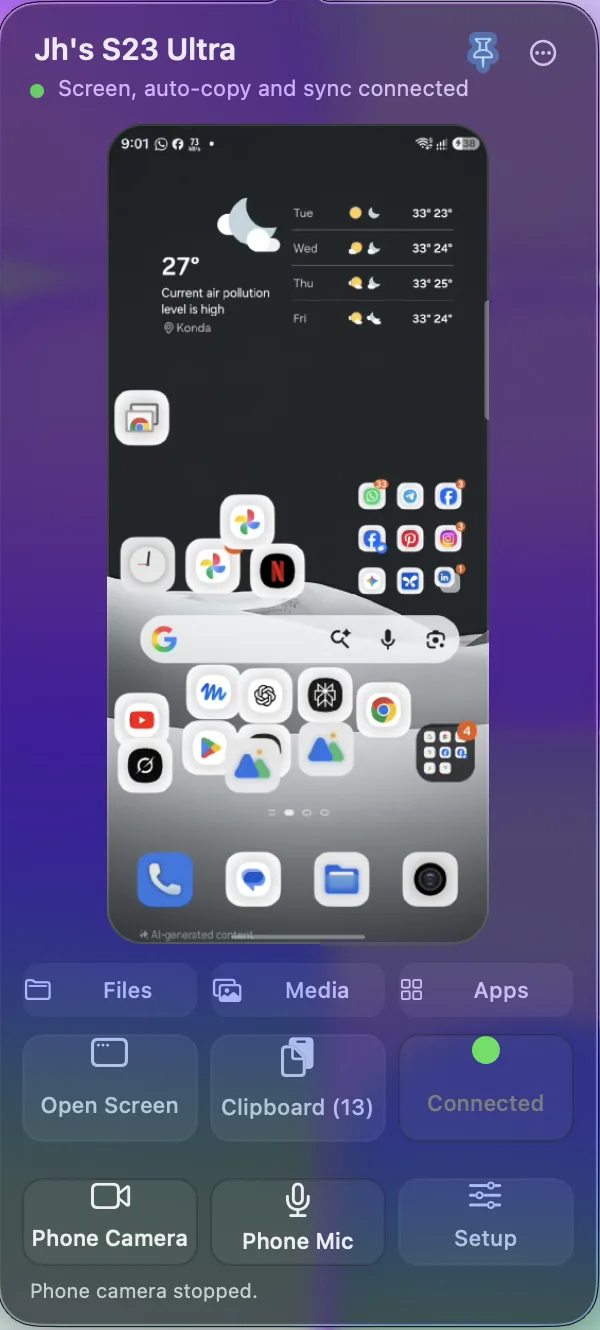
The menu bar icon shows a live preview of your phone. Open its screen, files, media or apps, pick something from clipboard history, or start the phone camera without hunting for a window.

  • Pin the live preview while you work
  • Right-click for every control
  • Connection status and one-click Reconnect
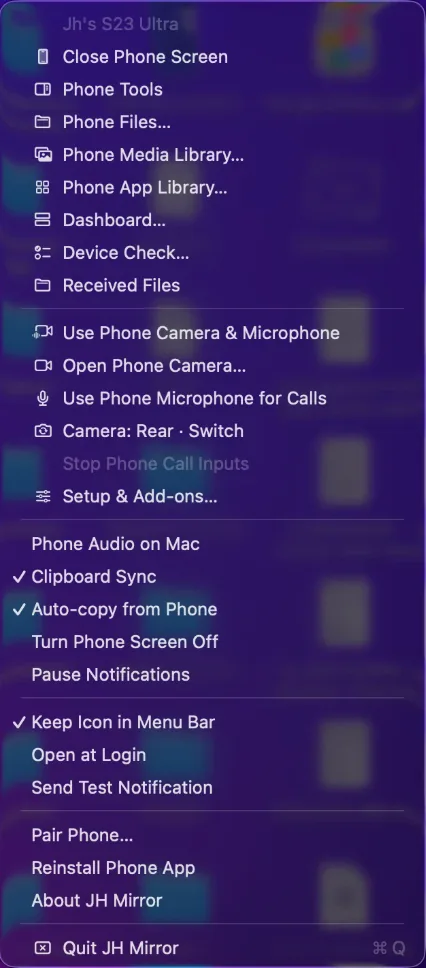
JH Mirror right-click menu with phone, camera, clipboard and notification controls JH Mirror menu bar popover with a live phone preview and quick actions

03 Pocket mode

Screen off.
Still in control.

Turn the phone's display off and lock its touchscreen. It can sit dark in your pocket or face-down on the desk while you keep using it from your Mac, with no accidental taps.

  • Physical touch is ignored while the screen is off
  • Your lock screen, PIN and timeout stay exactly as they are
  • Android 14 and newer

On your Mac still fully usable

The mirrored phone still usable on the Mac while the physical screen is off

04 Notifications

Every alert on your Mac.
Answer it there, too.

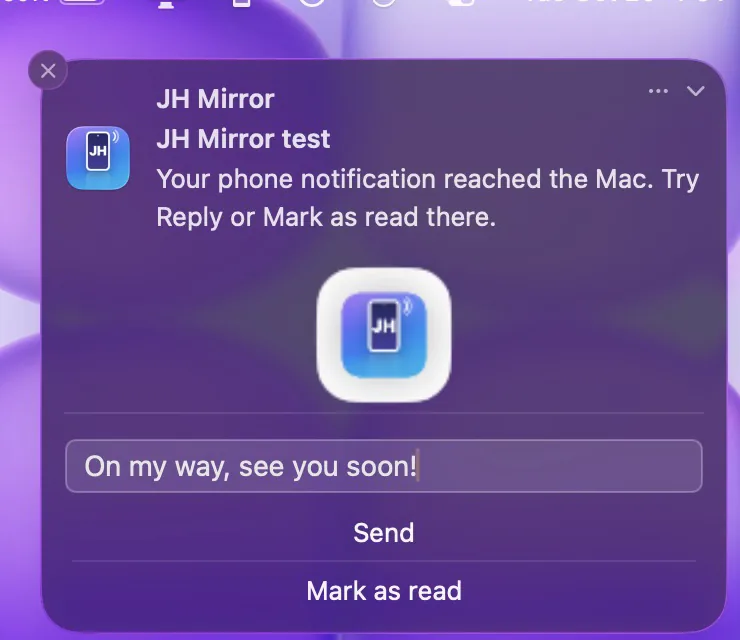
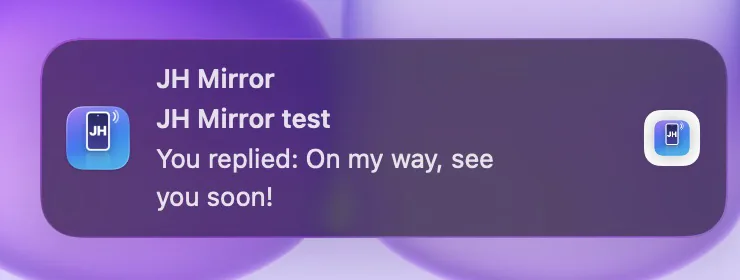
Phone notifications arrive as native Mac notifications with the phone's own buttons. Type a reply, mark as read or dismiss, and it happens on the phone. Click one to open it in the mirrored app.

  • Reply in a text field, right in the banner
  • Dismiss on the Mac and it is dismissed on the phone
  • Respects sensitive notifications and macOS Focus
A phone notification on the Mac with a reply typed: On my way, see you soon! Confirmation from the phone: You replied: On my way, see you soon!

05 Universal clipboard

Copy on Android.
Paste on Mac.

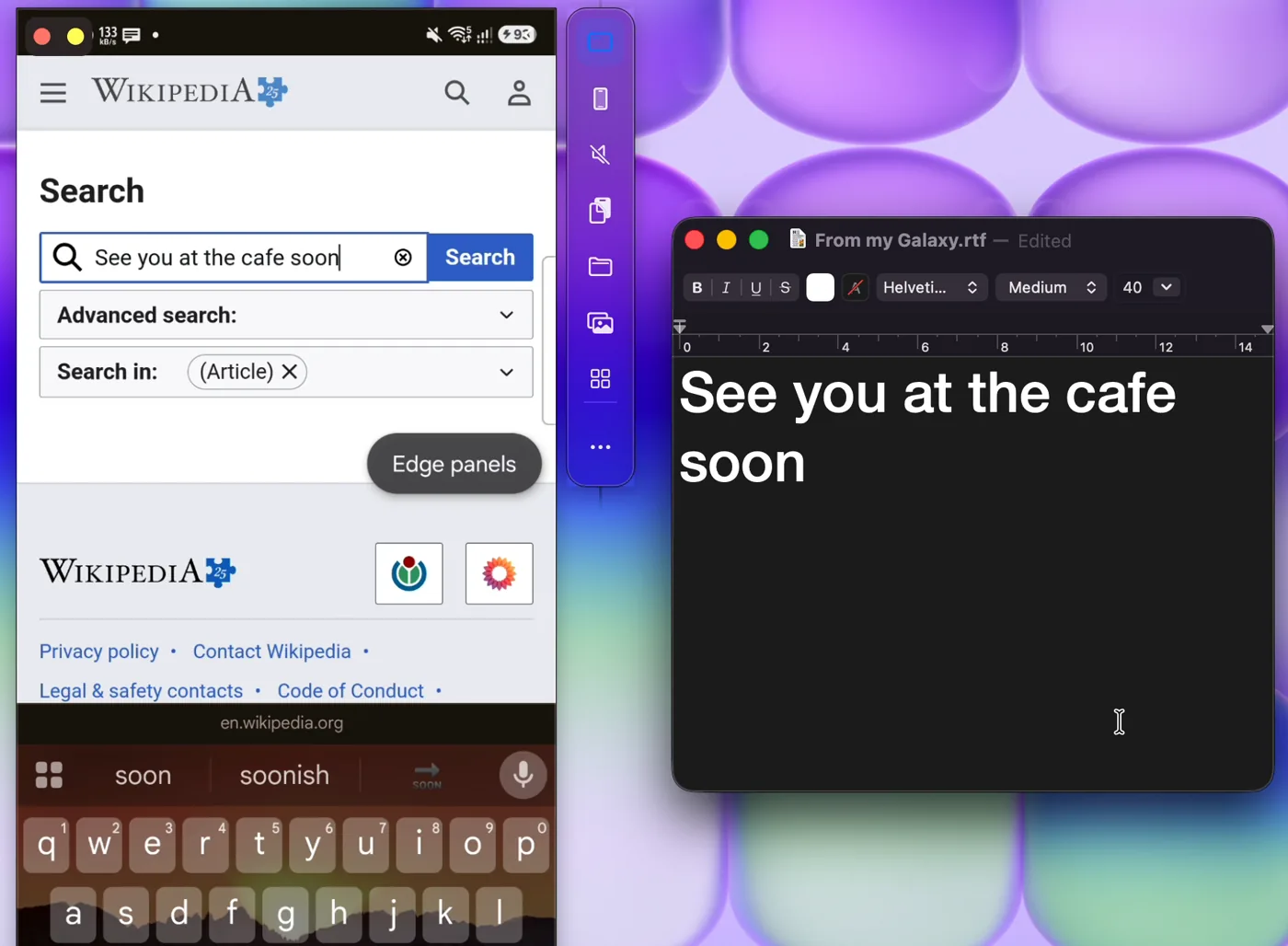
Copy text or an image on your phone, then press ⌘V on your Mac. It's already there.

  • Text and images, copied automatically
  • Passwords marked sensitive are skipped
  • History in the menu bar, plus a Copy to Mac tile
Text copied on the phone, shown pasted into a Mac document

06 Gallery & files

Your whole gallery.
A drag away from Finder.

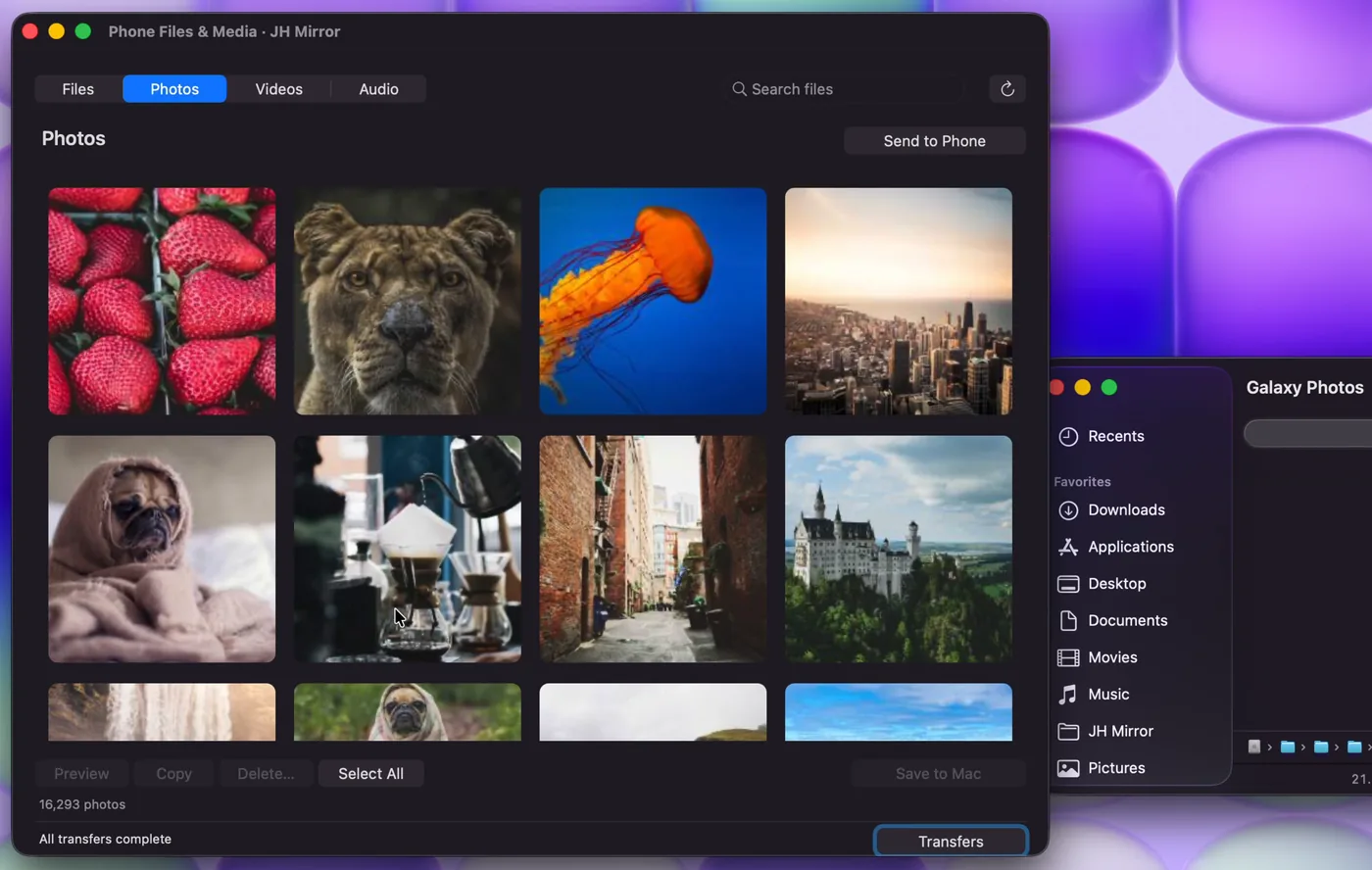
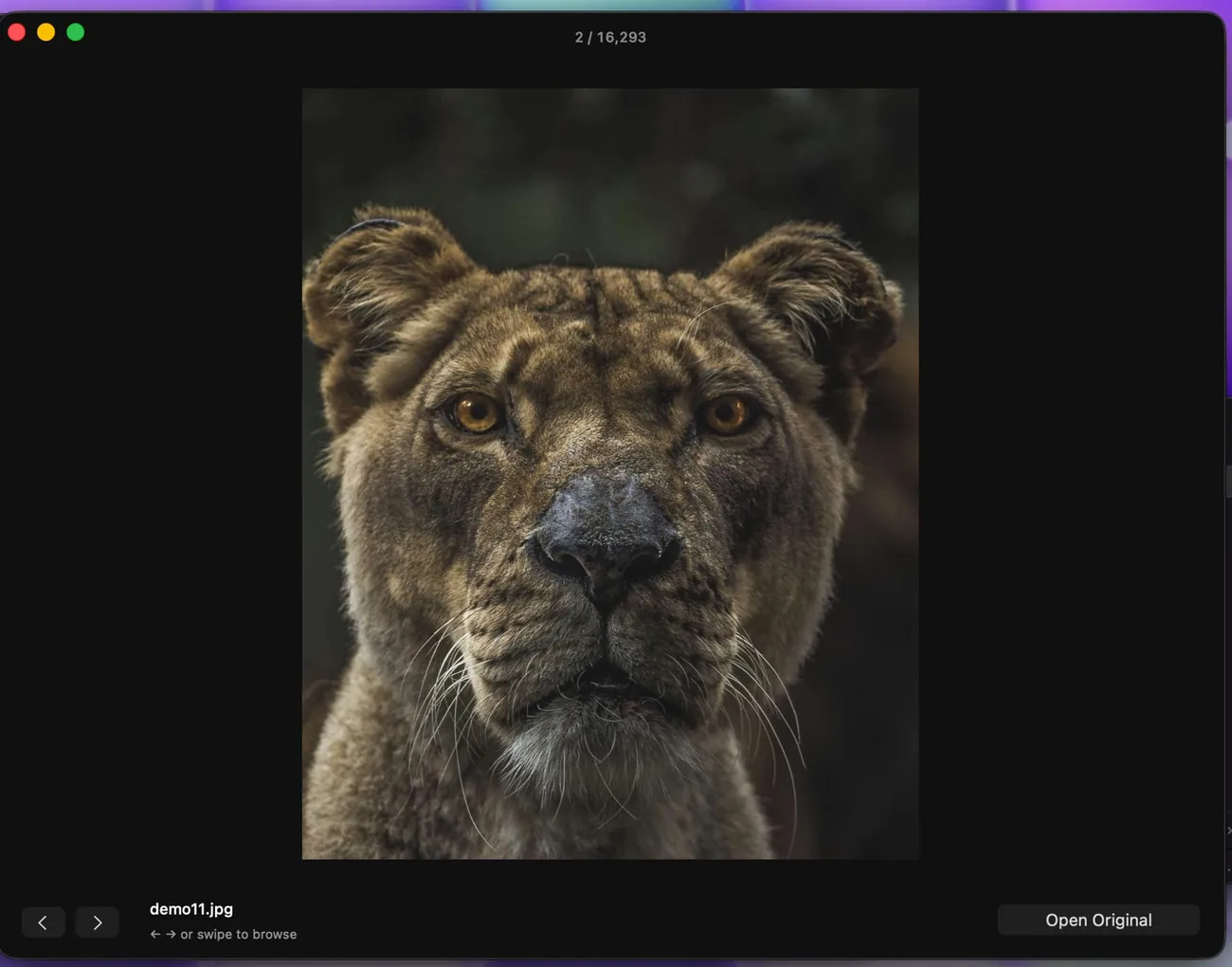
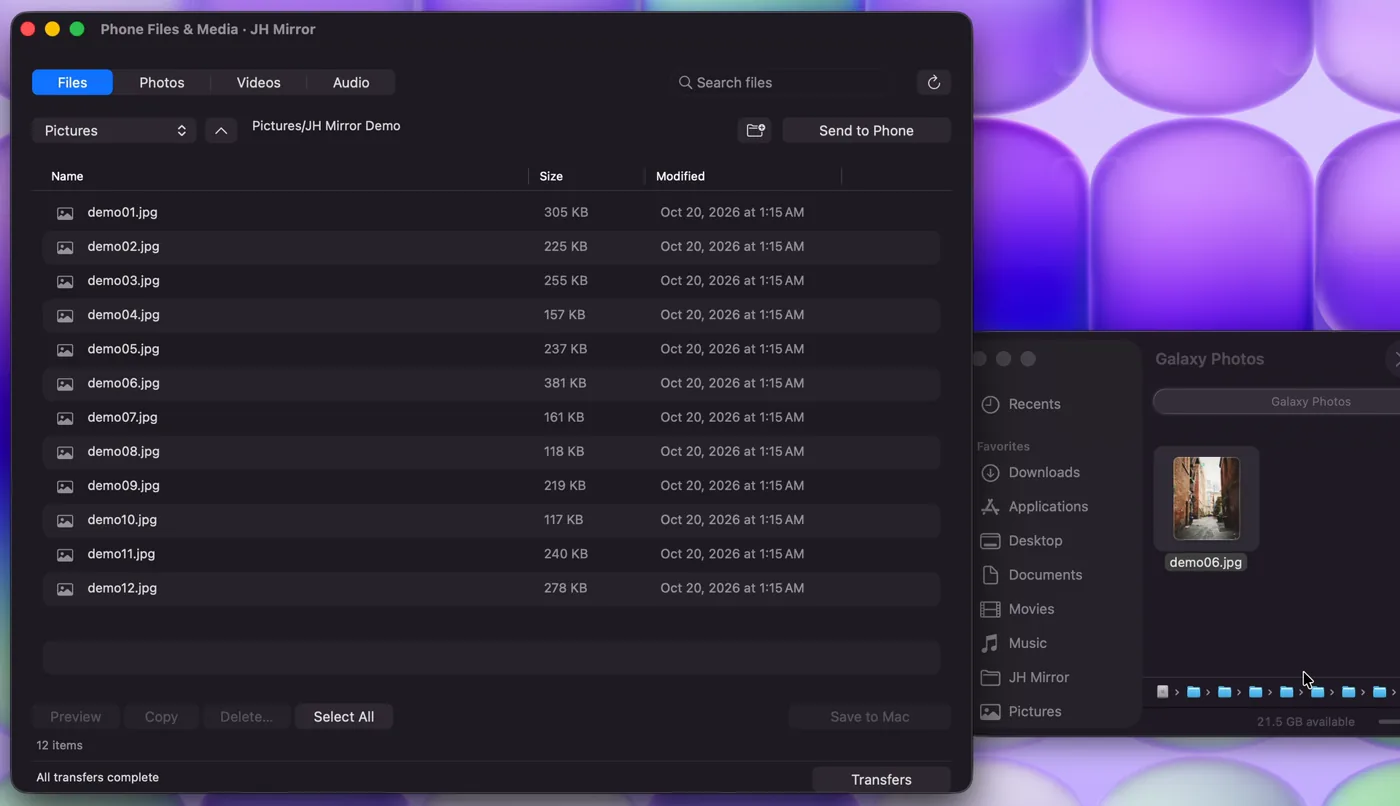
Browse photos, videos, audio and every folder on the phone. Preview pictures full screen, drag them straight into Finder, or drop Mac files back onto the phone.

  • Every transfer is verified with SHA‑256
  • Pause and resume big files, even after a restart
  • Never overwrites a file that already exists
Phone photo gallery shown in JH Mirror on the Mac Full-screen photo preview of a phone picture A phone photo dragged into a Finder window

07 Phone as webcam

Your Android is
your Mac's webcam.

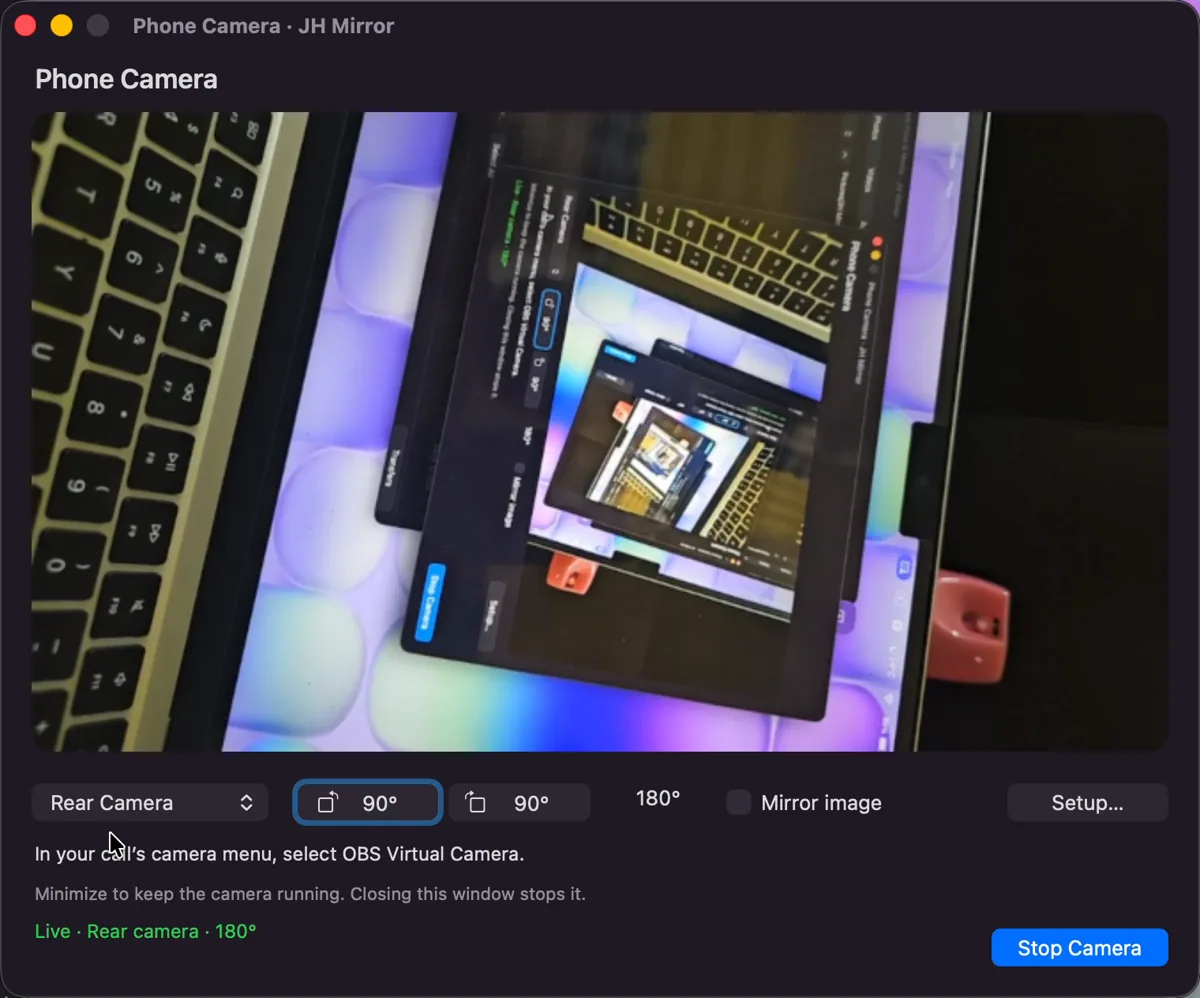
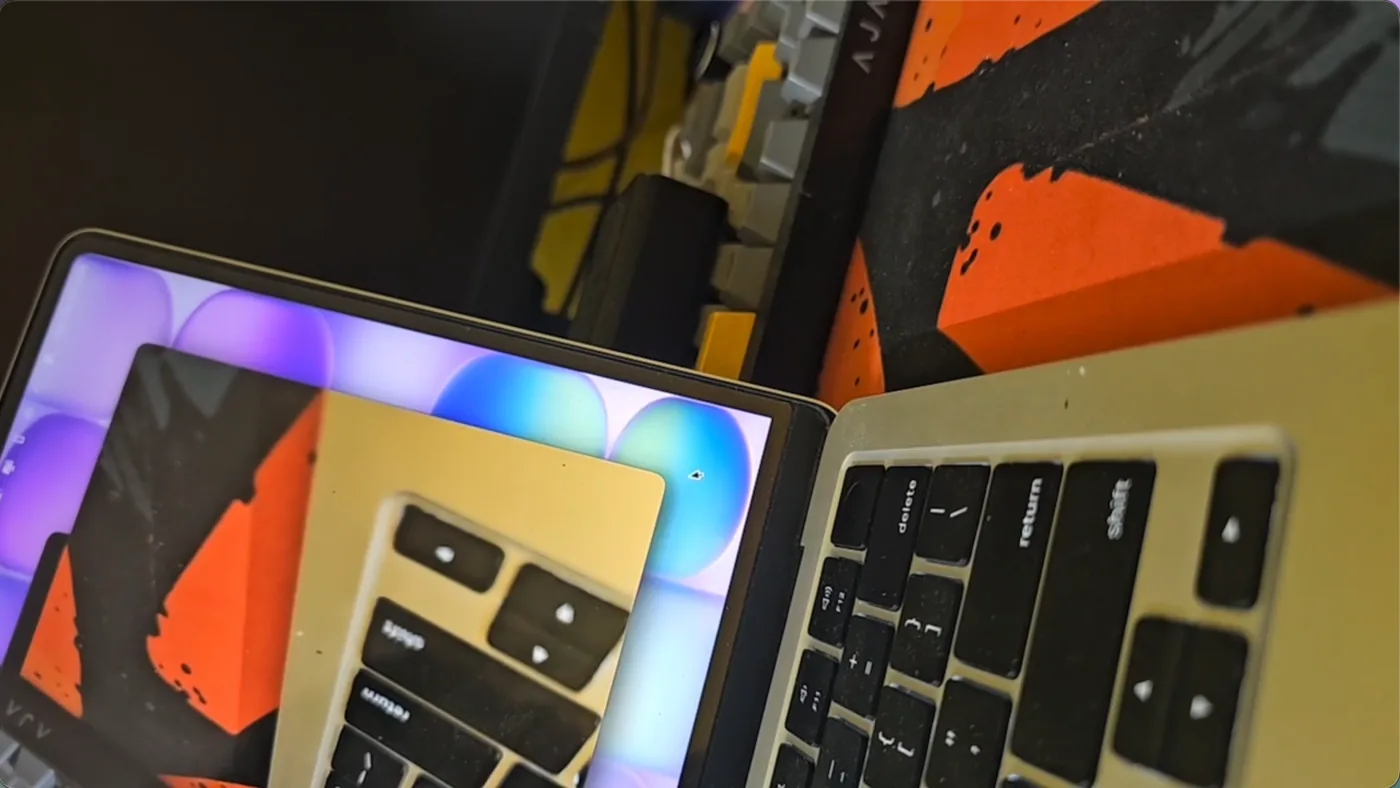
Just like Continuity Camera on iPhone. Use the phone's front or rear camera in your Mac video apps, rotate or mirror it live, and add the phone's microphone for calls.

  • Switch front and rear with one click
  • Live preview, 90° rotation and mirroring
  • Uses the free OBS camera and BlackHole add-ons
JH Mirror Phone Camera window with the rear camera live A Mac video app using the Android phone camera as its webcam

And the small things that make it feel native.

App Library

See every app on the phone, open one with a click, or uninstall it from the Mac.

Device Check

Nine live checks tell you what works, what needs setup and what to do next.

Reconnects itself

New Wi‑Fi or a phone restart? It's back in about 20 seconds without you.

Phone audio on Mac

Hear videos, music and games from the phone through your Mac's speakers.

Drag & drop

Drop Mac files on the phone window or the side strip to send them over.

Keyboard first

⌘1 phone screen, ⌘2 media library, ⌘3 phone files.

How it works

Set up in about a minute.

No cables, no Android SDK, nothing to install by hand on the phone. Four steps, once.

  1. 1

    Install JH Mirror on your Mac

    Open the download and drag JH Mirror to Applications. The first time, macOS may ask you to confirm in System Settings → Privacy & Security → Open Anyway.

  2. 2

    Turn on Developer options

    On the phone: Settings → About phone → Software information, then tap Build number seven times.

  3. 3

    Switch on Wireless debugging

    In Developer options, turn on Wireless debugging. Keep the phone and the Mac on the same Wi‑Fi.

  4. 4

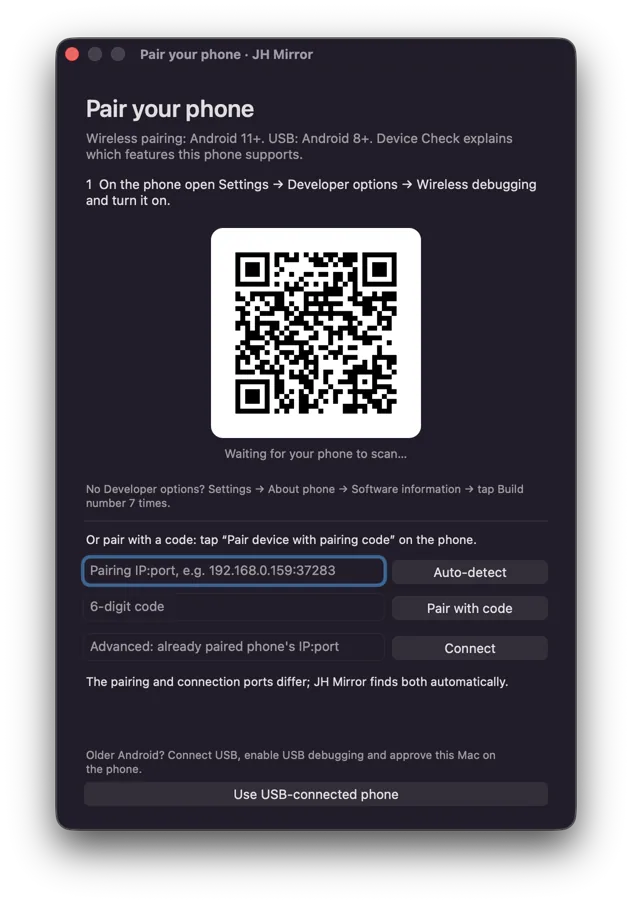
    Scan the pairing code

    Tap Pair device with QR code and scan the code JH Mirror shows. A 6‑digit code works too.

That's it. JH Mirror does the rest.

It installs its small phone app, grants the permissions it needs over the secure connection, and opens your phone screen. No phone settings to dig through.

  • Companion app installed
  • Permissions granted
  • Connected wirelessly

Android 8 to 10? Connect a USB cable once, allow USB debugging, and choose Use USB-connected phone instead.

Privacy

Between your Mac and your phone. Nobody else.

Stays on your network

No account and no cloud server. The Mac and the phone talk to each other directly.

Encrypted

A certificate-pinned TLS channel with a random 256‑bit token, on top of an authorized debugging connection.

Capture only when you ask

Camera and microphone start only when you press them. Video is never recorded.

Easy to revoke

Unpair the Mac in Wireless debugging and uninstall the phone app. Access ends right there.

Requirements

What you need.

Mac
Apple silicon, macOS 26
Android phone
Android 11+ on the same Wi‑Fi. Android 8–10 with a USB cable.
Pocket mode
Android 14 and newer
Phone camera
Android 12+, plus the free OBS camera component
Phone mic for calls
The free BlackHole 2ch audio driver

FAQ

Questions, answered.

Does it only work with Samsung Galaxy phones?

No. It's built for Android in general and works with any phone running Android 11 or newer over Wi‑Fi (Android 8–10 over USB). It's developed and tested on a Samsung Galaxy S23 Ultra.

Do I need an account or an internet connection?

No account. The Mac and the phone connect over your local network, and nothing goes through a cloud server.

macOS says it can't open the app. What do I do?

JH Mirror isn't distributed through the App Store yet, so the first launch needs one confirmation: open System Settings → Privacy & Security and click Open Anyway. You only do this once.

Android turns Wireless debugging off after a restart. Do I pair again?

No. JH Mirror asks the phone to switch it back on over its encrypted channel and reconnects by itself, usually in about 20 seconds.

Does mirroring unlock my phone or change its security?

No. It keeps the phone from idle-sleeping while the mirror is open, but it never stores your PIN or bypasses the lock screen, and it leaves your timeout and security settings unchanged.

How do I remove its access?

On the phone, unpair the Mac in Developer options → Wireless debugging and uninstall the JH Mirror app. That's all.

Bring your Android home.

One app for your Mac. It sets up the phone side for you.

Download for macOS

Version 4.15 · Apple silicon · macOS 26